
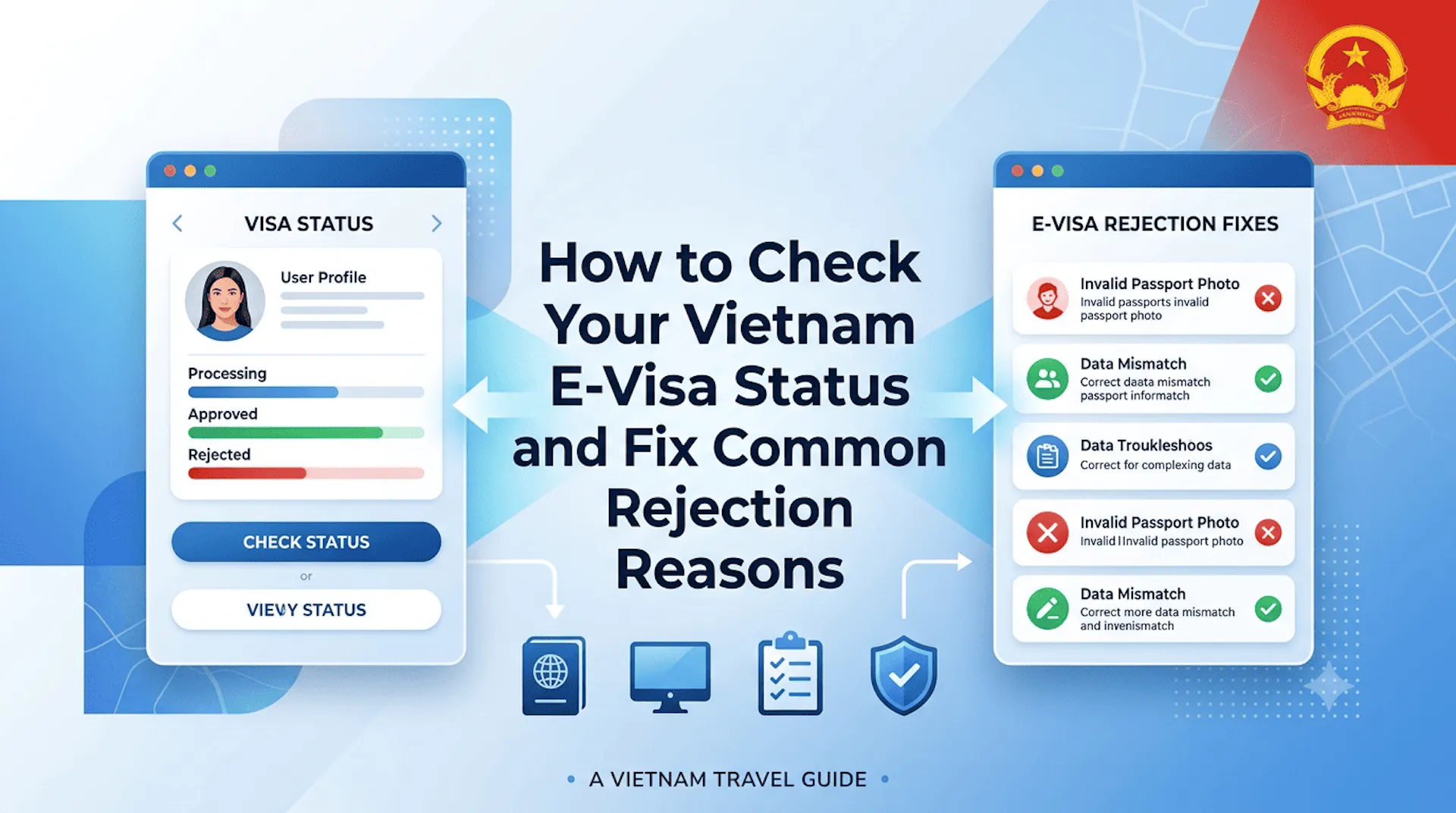
How to Check Your Vietnam E-Visa Status and Fix Common Rejection Reasons
Waiting for your Vietnam E-Visa approval? This guide explains how to check your Vietnam E-Visa status online, understand the application process, and identify common reasons why an application may be delayed or rejected. Learn practical solutions for correcting passport information, photo requirements, personal details, and supporting documents before reapplying. Go Visit Vietnam provides helpful visa guidance to make your application smoother and help you prepare confidently for your upcoming trip to Vietnam.
On this page
Your flight is in eight days. Your Vietnam e-visa application has been sitting on "In Processing" for five. Or worse — you've just logged in to find the status has changed to "Amended/Denied," and you have no idea what you did wrong or whether you'll need to pay the fee all over again.
This is the guide that solves that problem.
The official processing time for a Vietnam e-visa is 3 working days — a figure that appears prominently on the application portal and is accurate under normal volume conditions. In practice, during peak travel seasons (December–January, June–July, and the weeks surrounding Tet), backlogs regularly push processing to 5–7 working days, occasionally longer. This is not advertised. Applicants who submit five days before departure and see no movement often assume something is wrong — sometimes they're right, and sometimes the system is simply slow.
This guide gives you the tools to distinguish between the two. It walks through how to check your Vietnam visa status on the only legitimate official platforms, explains precisely what each status code means and what action it requires, breaks down the most common rejection reasons with the level of specificity that actually helps you fix them, and — critically — explains how to amend errors without paying the $25 or $50 processing fee a second time.
Step-by-Step Guide to Check Your Vietnam E-Visa Status
Access Only the Official Portals
Before anything else: the only two legitimate domains for checking Vietnam e-visa application status are:
Both are operated by the Vietnam Immigration Department, Ministry of Public Security. Both present the same database. Use either — but use only these.
A significant number of fraudulent websites mimic these portals' design and URL structures to capture applicant credentials. Common patterns include: "evisa-vietnam.com," "vietnamevisa.org," and various domains ending in ".net" or ".info" that look official but are not. These sites harvest your Registration Code, email, and passport data. They will not give you accurate status information. Close any tab that isn't one of the two URLs above.
The Three Required Credentials
To retrieve your application status, you need exactly three pieces of information:
1. Registration Code (Mã hồ sơ) This is the alphanumeric code generated immediately after your application was submitted and payment was confirmed. It typically follows the format: a letter prefix followed by 8–10 digits (e.g., HA1234567890). It was displayed on-screen at the end of the application process and sent to your registration email. If you cannot locate it, see the FAQ section below for the recovery process.
2. Registration Email The email address you entered during the application form — not necessarily your primary email, but the specific one used during that session. Capitalization does not matter; spacing does. If you used a work email, corporate filter, or alias, check that account's inbox.
3. Date of Birth Entered in DD/MM/YYYY format, matching exactly what appears on your passport bio-data page. A single digit error here will return a "no record found" response even when your application is active.
Click-by-Click Process
- Navigate to https://evisa.gov.vn
- On the homepage, locate and click "Retrieve E-Visa" or "Check Application Status" — the label has varied across portal updates; look for it in the top navigation menu or the central dashboard area
- Enter your Registration Code, Registration Email, and Date of Birth in the corresponding fields
- Click "Search" or "Confirm"
- The result screen displays your current application status
Decoding Status Meanings
"In Processing" Your application is in the queue and under review by an immigration officer. No action is required. If you are within the 3–7 working day window, this is normal. If processing has exceeded 7 working days on a non-peak schedule, see the FAQ escalation steps below.
"Amended / Denied" This is the status that causes the most panic — and the most avoidable mistakes. "Amended" means the system or reviewing officer has flagged one or more fields as incorrect or non-compliant, and the application is returnable to you for correction at no additional cost. "Denied" in some portal iterations indicates a harder rejection. Read the feedback message at the top of the status page carefully — it will specify which field triggered the flag. Section 3 of this guide covers the amendment process in detail.
"Granted" Your e-visa is approved and ready to download. On the status screen, click "Download E-Visa" or "Print E-Visa" to retrieve the official PDF. Save this file to your phone's local storage (not only cloud storage — border checkpoints have intermittent connectivity) and print a physical copy to carry. Vietnamese border officials at land crossings in particular frequently require a printed document in hand.
Vietnam E-Visa Denied? The Most Common Rejection Reasons
The Vietnam e-visa system uses a combination of OCR auto-parsing (which extracts data from your uploaded passport image) and human review by immigration officers. Both layers can flag errors — the OCR layer for technical document quality issues, the human review layer for data mismatch between your form inputs and your passport's machine-readable zone (MRZ). Here are the rejection causes that account for the overwhelming majority of flagged applications.
1. The Full Name Order Trap
This is the single most common rejection cause across all nationalities, and it is entirely preventable.
Vietnam's e-visa form asks for Given Name (first and middle names) and Family Name (surname) in separate fields. The problem arises in two ways:
Issue A — Surname/Given Name reversal: Many nationalities list their family name first in everyday usage (East Asian names, Hungarian names, some African naming conventions). The form expects Given Name first, regardless of your cultural norm.
Issue B — Middle name omission: Your e-visa form must exactly match the data in your passport's Machine Readable Zone (MRZ) — the two lines of text at the bottom of your bio-data page that begin with "P<VNM" or your country code. Middle names included in the MRZ must appear in the form.
Concrete example: For a passport holder whose MRZ reads:
The correct form entry is:
- Given Name: JOHN DAVID
- Family Name: SMITH
Not: "John Smith" (omitting middle name), not "Smith John David" (reversed), not "John D. Smith" (abbreviated). Character-for-character precision is required.
Double-check by reading from your MRZ line — not from the visual display at the top of the passport page, which sometimes formats names differently.
2. Passport Bio-Data Page Image Issues
The OCR system that parses your uploaded passport image fails when:
- Any corner of the passport is cropped out of frame — all four corners must be fully visible, including the white border around the page
- Flash reflection or glare obscures the MRZ lines — the two lines at the bottom of the page are the critical data the system reads; any light bloom over them causes parsing failure
- Resolution is insufficient — photos taken in poor lighting or on older phone cameras may technically be under 2MB but still too low-resolution for reliable text extraction
- The image is rotated — the passport page must be photographically horizontal, not tilted or angled
Fix: Place your passport flat on a dark non-reflective surface. Use natural indirect light or overhead room lighting without direct flash. Use your phone's document scanning mode (most modern phones have one) rather than a standard camera photo. Confirm that the MRZ at the bottom is fully readable before uploading — zoom in and verify you can read each character clearly.
3. Passport Number Typos
Vietnam passport numbers and international passport numbers frequently include both letters and digits in combinations that are visually ambiguous:
- The numeral 0 (zero) and the letter O (capital o) — nearly identical in many passport fonts
- The numeral 1 and the letter I or lowercase l depending on font rendering
- The letters B and 8 in worn or poorly photographed passports
Cross-reference your typed passport number against the MRZ on every character, not just a visual skim. The MRZ representation is the ground truth — match it exactly. One transposed character will cause a name/number mismatch between your form data and your passport scan, which flags for human review and commonly results in an "Amended" return.
4. Mismatched Arrival Date and Checkpoint
Two distinct errors fall into this category, and they have very different consequences:
Error A — Wrong entry checkpoint listed: Your approved e-visa specifies a permitted entry port. If you listed "Noi Bai International Airport (Hanoi)" but your flight lands at "Tan Son Nhat International Airport (HCMC)," you will be denied entry at the border, regardless of whether your visa is otherwise valid. The approved checkpoint is fixed and cannot be changed post-approval without a full new application.
Error B — Attempting entry before the visa validity start date: This is non-negotiable: you cannot enter Vietnam before the first day of your visa's approved validity period, even by a single calendar day. Airlines and immigration officers enforce this absolutely.
The important corollary: you can enter later than your stated intended arrival date. The validity period on your approved visa is a window, not a single-day entry ticket. If your visa is valid from June 1–August 30 and you arrive on June 15, this is completely fine.
How to Fix a Vietnam Visa Error: The Amending Process
The amendment process is the financial relief mechanism most applicants don't know exists — and it is the difference between a $0 correction and unnecessarily paying $25–$50 for a second application.
When your status returns as "Amended," the system has unlocked your application for correction. The processing fee you already paid remains applied to the application. You correct the flagged fields and resubmit. No additional payment is required.
Step 1: Access the Amendment Interface
Log into your application via the official status check process (Registration Code + Email + Date of Birth) at https://evisa.gov.vn. On the "Amended" status screen, look for a button or link labelled "Amend Application", "Edit Application", or an equivalent — the portal's label has varied across interface updates.
Step 2: Read the Officer's Feedback Message
At the top of the amendment page, a brief note from the reviewing immigration officer states which field(s) triggered the flag. This message is typically written in minimal English and may be terse ("Name does not match passport data," "Photo unclear," "Passport number incorrect"). This is your correction target — do not guess; read it.
Step 3: Correct the Flagged Fields
Amend only the fields specified or clearly connected to the flagged issue. Do not edit fields that were not flagged; changing additional data introduces new variables that can trigger a secondary review.
If the photo is flagged for quality:
- Re-scan under compliant conditions (see Section 2, Point 2 above)
- Confirm: JPG/JPEG format, under 2MB, white background, all four corners of passport page fully visible, no glare over MRZ
If name data is flagged:
- Cross-reference the MRZ character by character
- Re-enter Given Name and Family Name fields with exact MRZ precision
Step 4: Submit and Reset Expectations
After submission, the application re-enters the processing queue. The 3-working-day processing clock restarts from the date of amendment submission — not from the original application date. If your travel date is imminent, flag this in the optional notes/additional information field if one is available, though there is no guaranteed expedite mechanism on the standard portal for standard applications.
Critical Troubleshooting FAQ
"I lost my Registration Code. How do I recover it?"
On the status check page of evisa.gov.vn, locate the "Retrieve Registration Code" or "Forgot Code" function — typically a text link below the main input fields. Enter your registration email address; the system will resend your Registration Code to that inbox within a few minutes. Check your spam/junk folder immediately if it doesn't appear in the primary inbox. If you no longer have access to the registration email account, contact the immigration department support line — recovery without email access is not available through the self-service portal.
"My visa says 'Granted' but my name is spelled wrong. Can I still fly?"
Do not attempt to travel with a name-error visa. Airlines cross-reference the name on your boarding pass against your visa document at check-in — a mismatch is grounds for boarding denial, which is both a costly and completely avoidable outcome. A wrong name on an approved visa requires you to submit a new application with a new fee, as an approved visa cannot be amended post-grant under the current system. If travel is imminent (under 5 days), contact a licensed Vietnam visa agency that offers emergency processing services, or contact the nearest Vietnamese embassy or consulate in your country for an expedited stamp visa alternative.
"My status has been 'In Processing' for over 7 working days. What do I do?"
First, confirm your day count uses working days (Monday–Friday, excluding Vietnamese public holidays) — not calendar days. If 7 legitimate working days have passed:
- Check the official portal one more time; status updates are not always accompanied by email notifications
- Send a formal status inquiry email to the Vietnam Immigration Department via the contact address listed on evisa.gov.vn — include your Registration Code, full name, nationality, and application date
- Simultaneously contact your airline's check-in support to understand your options if the visa is not resolved before departure
- If within 3 days of your flight, contact the nearest Vietnamese embassy or consulate directly — in genuine processing failure cases (not standard backlog), they have the authority to intervene or issue an alternative authorization
Prevention Is the Only Perfect Fix
Every scenario in this guide — the name reversal, the glare on the MRZ, the zero/O confusion, the wrong checkpoint — is fully preventable at the form-filling stage. The travelers who check their Vietnam visa status and find nothing but a smooth "Granted" result are the ones who spent fifteen minutes reading their passport MRZ character by character before they typed a single field.
If you're already past that point and facing a Vietnam e-visa denied or amendment screen: use Section 3 to correct and resubmit at no cost, factor in the reset processing window, and apply earlier on your next booking.
Post your specific error message, the exact status you're seeing, or how many working days your application has been in processing in the comments below. The community here has collectively navigated most variants of this system's edge cases — specific details get specific answers.
Guide last updated: 2025. Portal interface labels and status terminology are subject to change by the Vietnam Immigration Department. Always verify current instructions at evisa.gov.vn before taking action on your application.
Frequently Asked Questions About Vietnam E-Visa Status & Rejections
How can I check my Vietnam E-Visa application status?
You can check your Vietnam E-Visa status through the official Vietnam E-Visa application portal using your application reference details and the information provided when you submitted your application.
Why was my Vietnam E-Visa application rejected?
Common reasons include incorrect passport information, unclear or invalid passport photos, incomplete personal details, mismatched travel information, or uploaded documents that do not meet the required standards.
Can I correct mistakes after submitting my Vietnam E-Visa application?
If your application contains errors, you may need to follow the instructions provided by the immigration authorities or submit a new application with corrected information, depending on the situation.
How long does Vietnam E-Visa processing usually take?
Processing normally takes several working days for complete applications. However, delays may occur during holidays, peak travel periods, or if additional verification is required.
How can I avoid Vietnam E-Visa rejection?
Carefully review all personal information before submitting your application, ensure your passport is valid, upload clear photos that meet the official requirements, and double-check that all travel details match your passport and travel plans.
Advertising box
Explore More Vietnam Visa & Entry Guides
Find everything you need to know before entering Vietnam, from e-Visa applications and visa exemptions to passport requirements, customs regulations, airport arrival procedures, and practical travel tips. Our comprehensive guides help you prepare for a smooth, hassle-free journey from the moment you arrive.
How to Apply for a Vietnam E-Visa – Complete Step-by-Step Guide
Applying for a Vietnam E-Visa is a simple online process that allows eligible travelers to enter Vietnam for tourism and other approved purposes. This guide explains everything you need to know, including required documents, application steps, visa fees, processing time, and important travel tips. Whether you are planning to explore Vietnam’s cities, beaches, nature, or cultural destinations, understanding the E-Visa process helps make your journey smoother. Go Visit Vietnam provides a clear guide to prepare your Vietnam trip with confidence.

Best eSIM for Tourists in Vietnam: Top Providers, Plans & How to Activate
Staying connected in Vietnam is easy with a travel eSIM, offering instant mobile data without needing a physical SIM card. This guide introduces the best eSIM options for tourists in Vietnam, including top providers, data plans, pricing, coverage, and step-by-step activation instructions. Whether you are traveling across cities, beaches, or national parks, a reliable eSIM ensures smooth internet access for maps, bookings, and communication. Go Visit Vietnam helps you choose the right eSIM for a seamless travel experience in Vietnam.
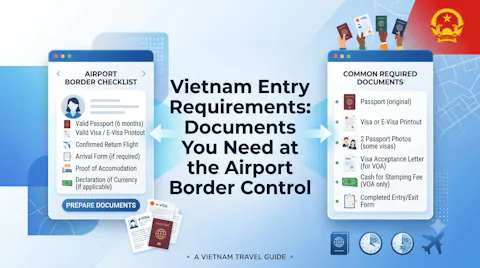
Vietnam Entry Requirements: Documents You Need at the Airport Border Control
Preparing the correct travel documents before arriving in Vietnam helps ensure a smooth entry process. This guide explains Vietnam’s entry requirements, including passport validity, visa or visa exemption eligibility, immigration procedures, customs declarations, and supporting documents that may be requested at airport or land border checkpoints. Whether you are traveling for tourism or business, understanding what to prepare before departure can save time and avoid unnecessary delays. Go Visit Vietnam provides practical guidance for entering Vietnam with confidence.
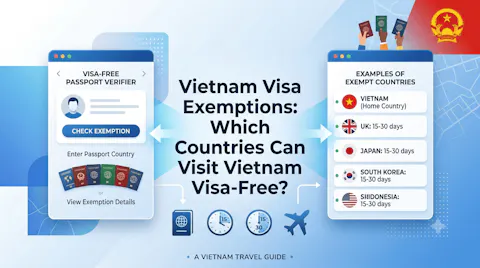
Vietnam Visa Exemptions: Which Countries Can Visit Vietnam Visa-Free?
Planning a trip to Vietnam? Find out whether your country qualifies for Vietnam’s visa exemption program and learn how long you can stay without a visa. This guide explains visa-free entry policies, eligibility requirements, permitted stay durations, and important travel considerations before arriving in Vietnam. Whether you are visiting for a short holiday or planning a longer journey, understanding Vietnam’s visa exemption rules helps you prepare with confidence. Go Visit Vietnam provides practical information for international travelers planning their visit.